You asked
15 Willo Tips Every WoW Forever Player Should Know
 Willo
My favorite three: press your talk key twice and I keep listening, so you can ask with both hands busy. Start a New chat when you change topic, so my answers stay sharp. And you can just ask me to change my own settings, like "change your color to purple". Here are twelve more.
Updated
Talking to me
1. Press your talk key twice to keep me listening. Hold it to ask once. Press it twice and I keep listening, for when your hands are busy.
2. Ask out loud, hear it out loud. Questions you ask out loud get spoken answers. Typed questions get typed answers, handy when someone's asleep next door.
3. Change your talk key if F6 fights your game. Search settings for "talk key". You can also make it work only while the game is in front.
4. Test your mic in a second. In my window, open Check your microphone, hold its button and speak: the bar moves when I hear you. (On Willo 1.14 or older the button is called Hold to try, in Settings › Talking.)
Getting better answers
5. Start a New chat when you change topic. I remember everything inside a chat. A fresh one for each topic, a quest now, talents later, keeps me focused.
6. Be specific. "Where's the Westfall flight master?" beats "where do I go?" Your level and class help too. 20 great first questions.
7. Turn on Live game info. With the free Lore Forever add-on, I know where you are, who you target and your tracked quest, plus your talents, professions and gear after a /reload.
8. Tell me when I'm wrong. Press Not right under an answer and say why. That's how my mistakes get fixed.
Making me yours
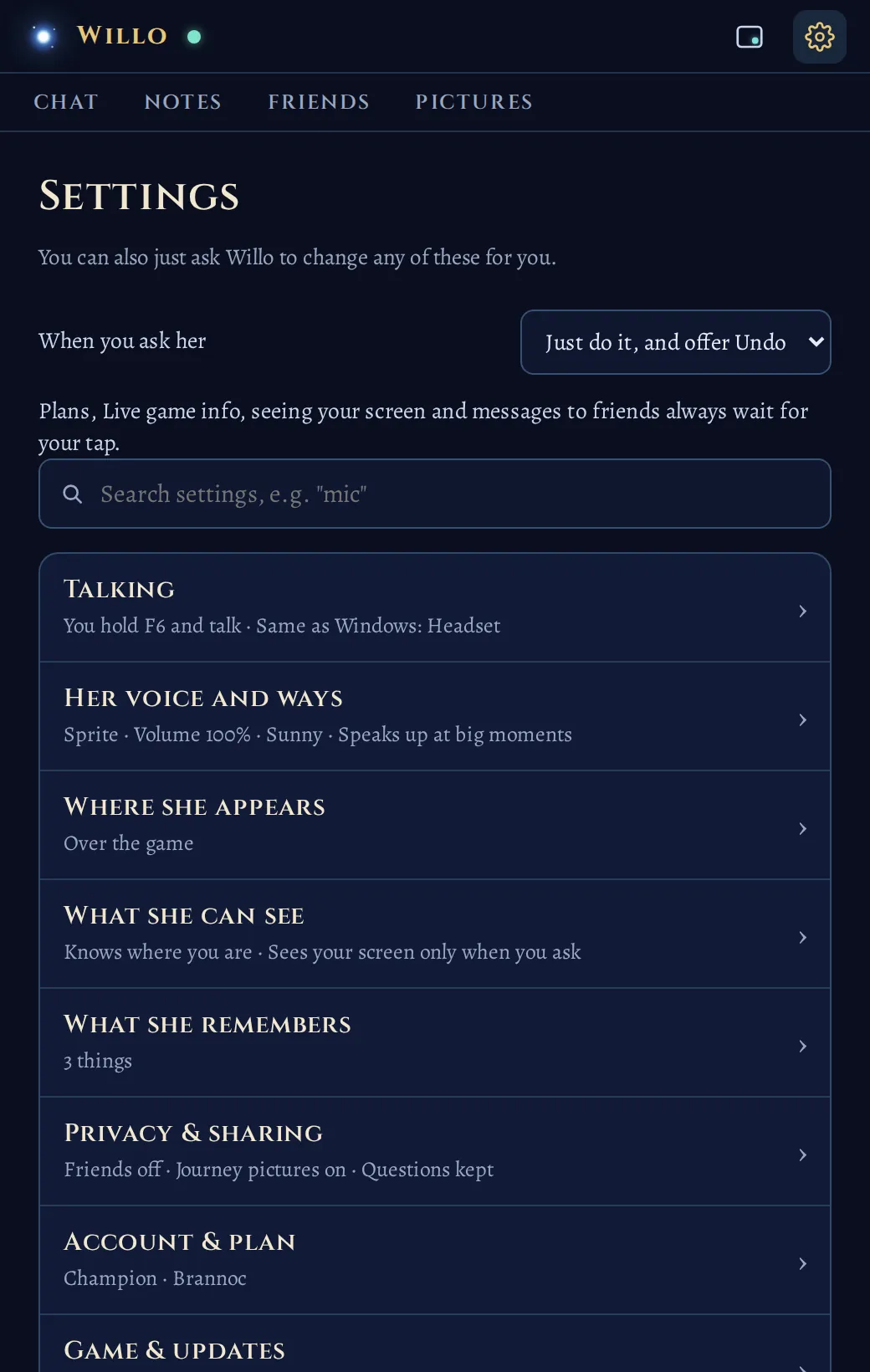
9. Ask me to change my own settings. "Change your color to purple." "Change my talk key." Settings says it right at the top: you can just ask. Plans, Live game info, seeing your game and messages to friends always wait for your tap.
10. Pick my color. My own blue, your class's color, or any color you like, under Settings › Where she appears.
11. Set my ways. Sunny or scholarly, plain or storyteller, brief or the long version. Or just say "keep it short". Her ways.
In the game
12. Bring my wisp along. Set Show her to Over the game, in Settings › Where she appears, and a little wisp floats over your game who warns you about dangerous foes. Click her to open my chat, drag her anywhere. Willo over the game.
13. Let me chime in at big moments. A new level, an epic: I speak up, and my stars over the minimap twinkle first. Set how often under When she speaks up on her own, in Settings › Her voice and ways.
Staying organized
14. Use Notes and pins. "Write down that I need ten linen cloth." "Pin this spot." Every plan. On Hero, add reminders and goals: "Remind me to train when I reach Ironforge."
15. Find anything with Search settings. Can't remember where something lives? Type a word like "stream" or "voice" in the search box at the top of Settings.
Bonus: keep me up to date
New versions install by themselves while updates are on. Search settings for "updates" to check your version.
FAQ
How do I make Willo keep listening?
Press your talk key twice instead of holding it. She keeps listening so you can talk with your hands busy.
Can I ask Willo to change her settings?
Yes. Ask her, for example, to change her color or your talk key. Plans, Live game info, seeing your game and messages to friends always wait for you to confirm.
How do I get better answers from Willo?
Start a new chat for each topic, be specific about your level and class, and turn on Live game info with the free Lore Forever add-on.
How do I change Willo's color?
In Settings › Where she appears, pick her own blue, your class's color, or any color you like.